> ## Documentation Index
> Fetch the complete documentation index at: https://docs.fonio.ai/llms.txt
> Use this file to discover all available pages before exploring further.
# Starface
> Wie du deine Starface Anlage mit Fonio verbindest
### Leitung erstellen
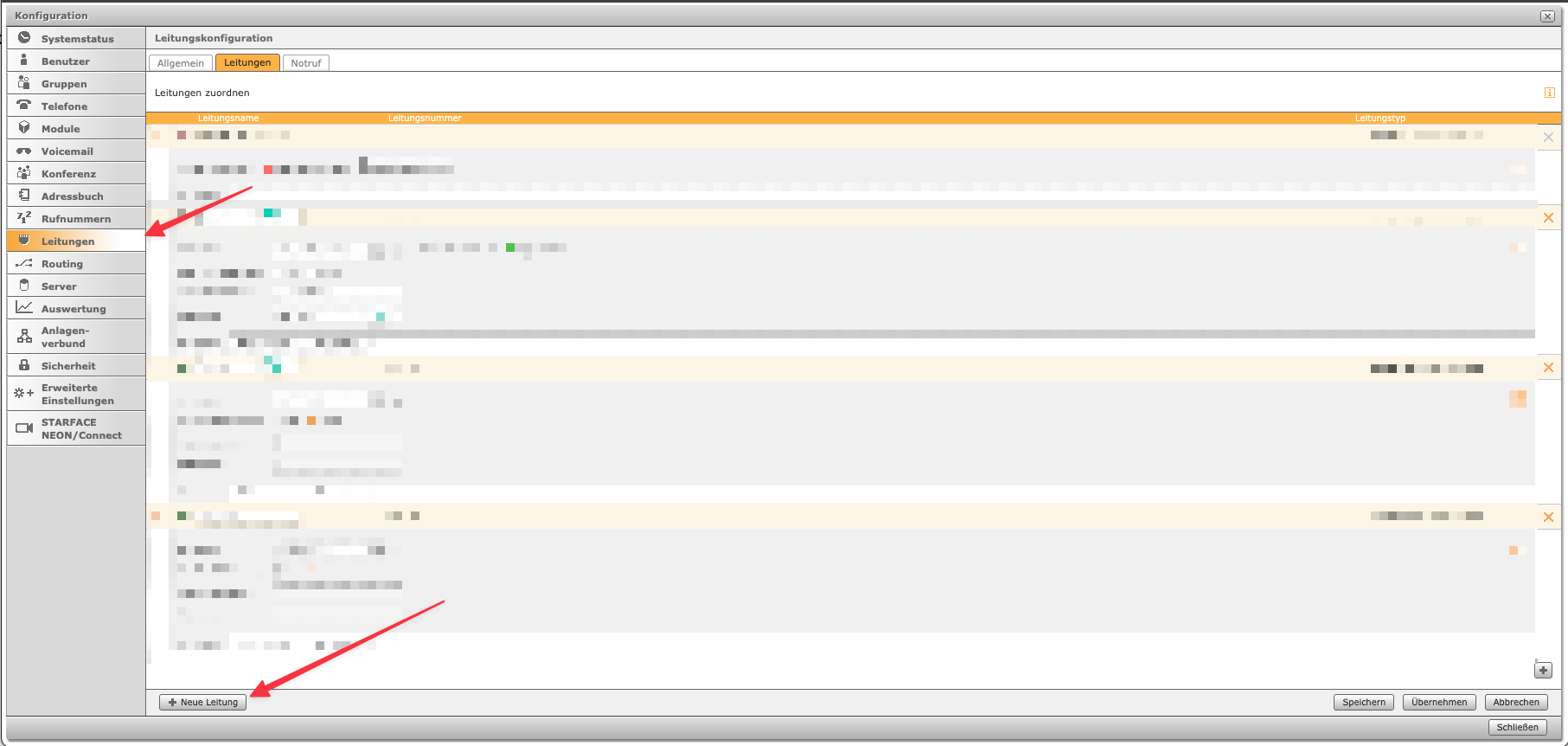
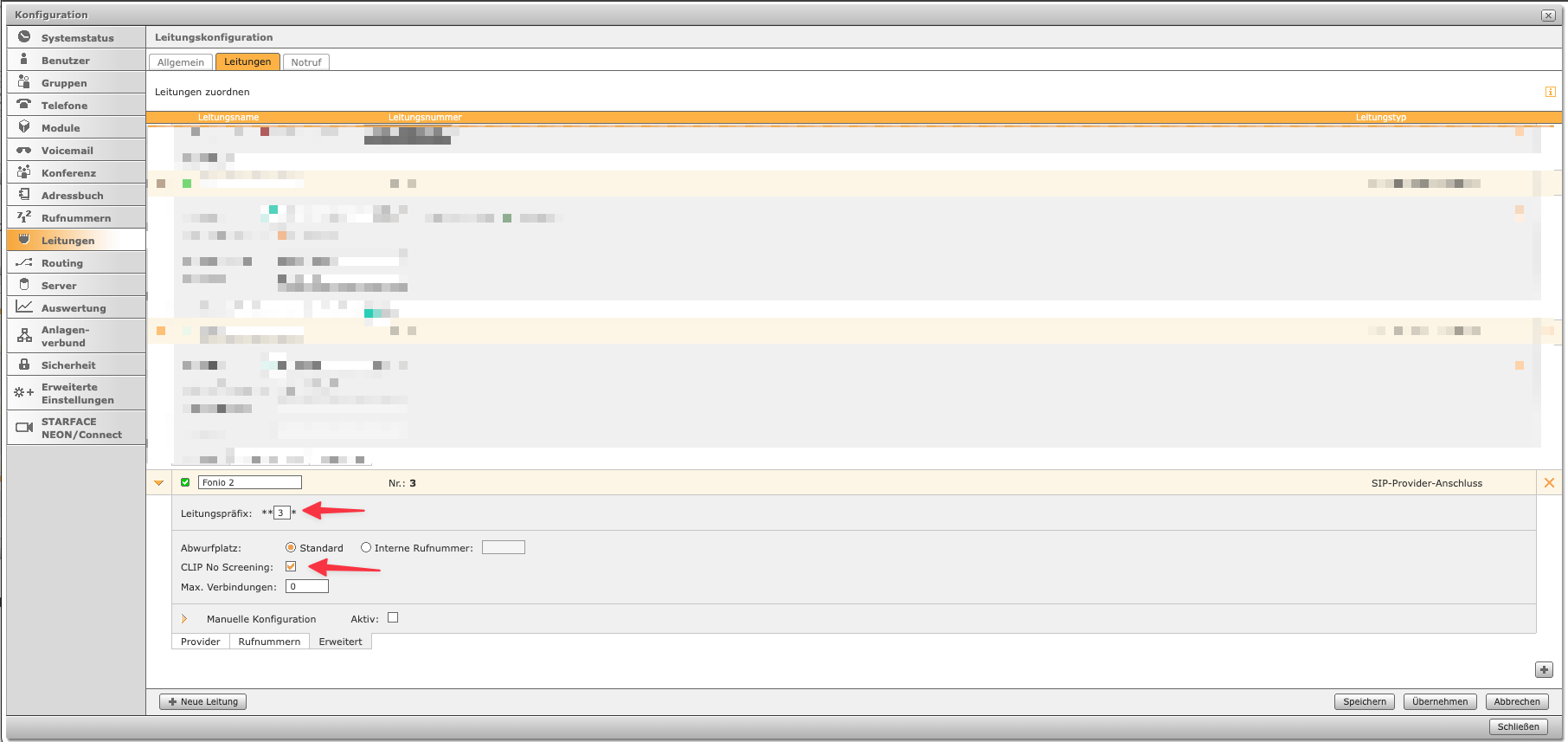
Zuerst muss eine neue Leitung erstellt werden:
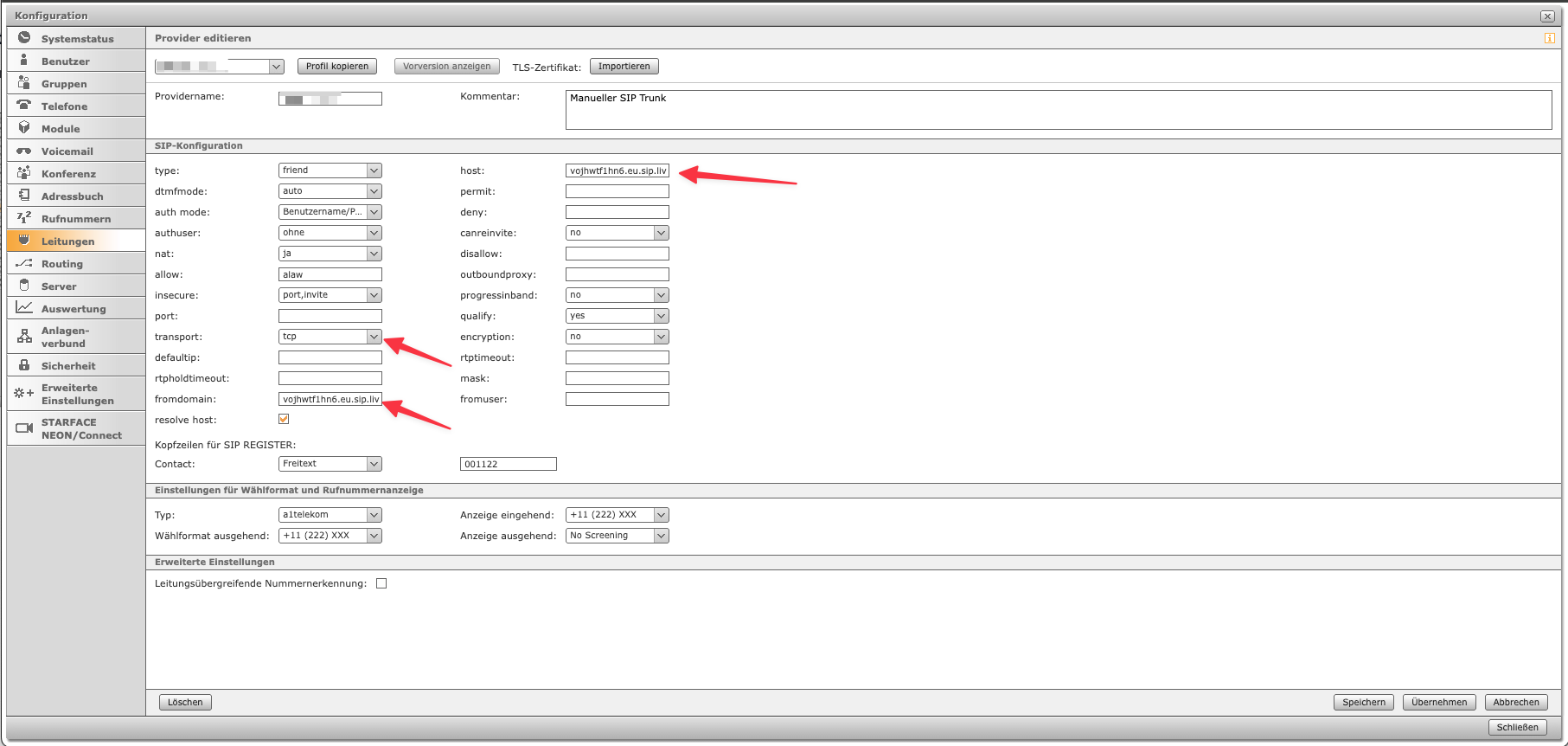
 Bei Host und Fromdomain muss `vojhwtf1hn6.eu.sip.livekit.cloud` eingetragen werden - bei transport `tcp`
Info: Die Leitung wird auf „nicht registriert“ stehen - das passt trotzdem so!
Bei Host und Fromdomain muss `vojhwtf1hn6.eu.sip.livekit.cloud` eingetragen werden - bei transport `tcp`
Info: Die Leitung wird auf „nicht registriert“ stehen - das passt trotzdem so!
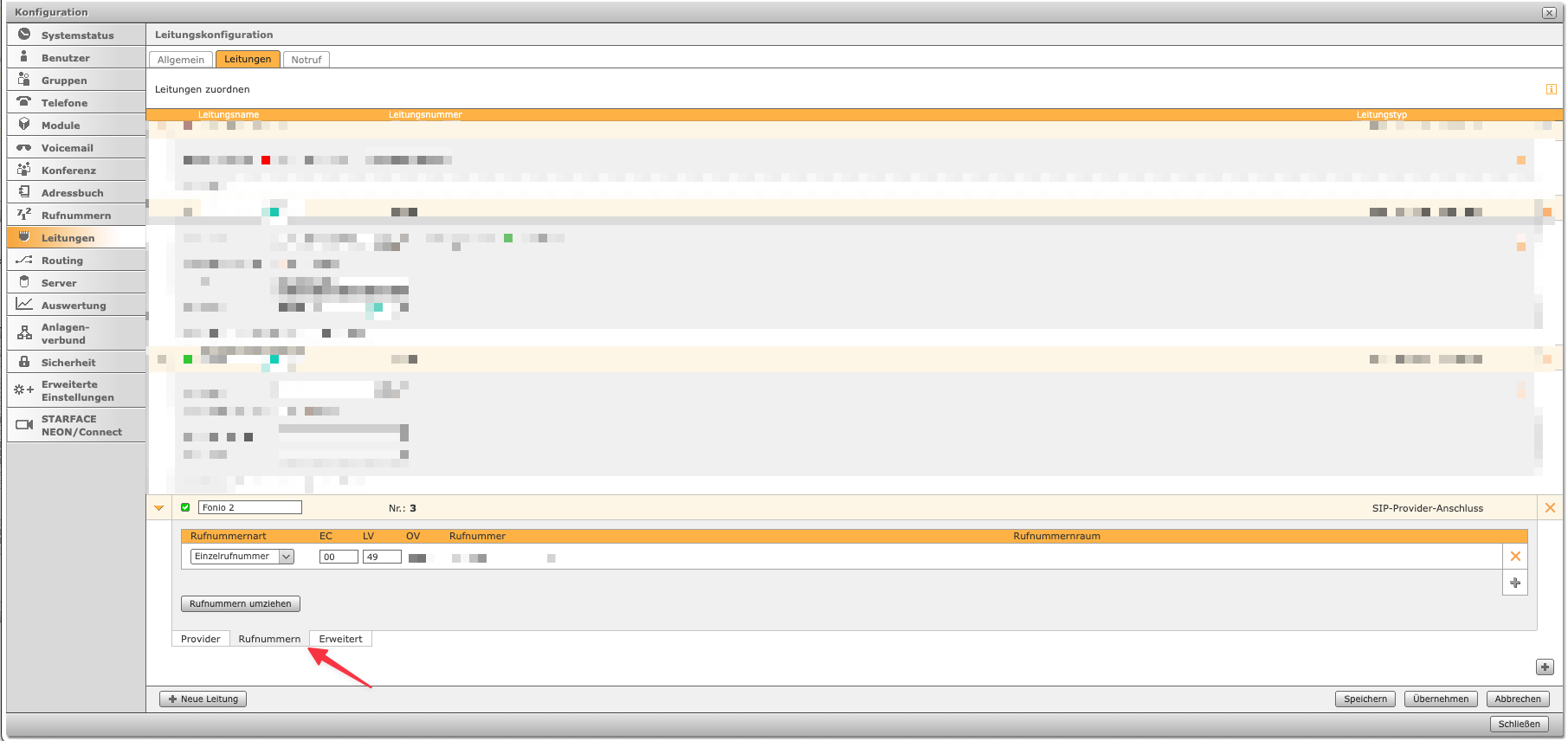
 Danach muss die Rufnummer hinzugefügt werden. Diese Rufnummer darf nicht in Verwendung sein:
 Danach muss noch "CLIP No Screening" aktiviert werden:
**Wichtig:** Dabei unbedingt das Leitungspräfix merken
Danach muss noch "CLIP No Screening" aktiviert werden:
**Wichtig:** Dabei unbedingt das Leitungspräfix merken
 ### Nummer in Fonio erstellen
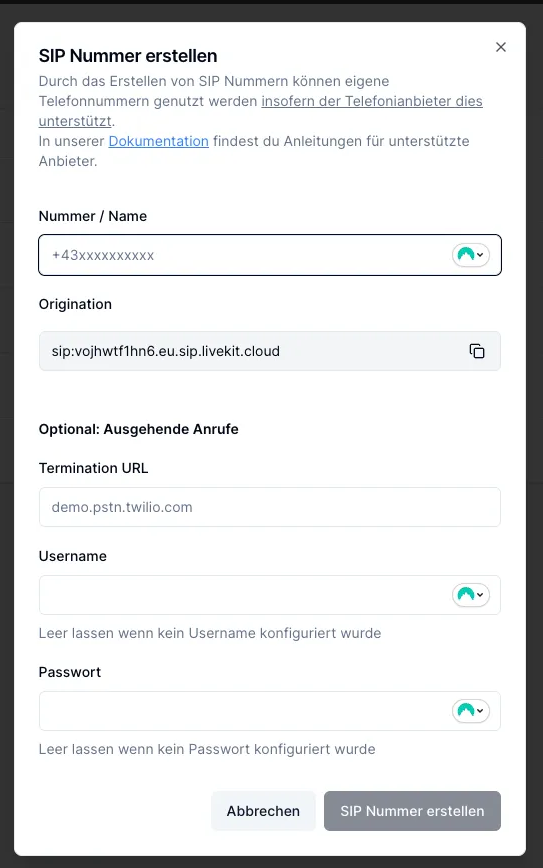
Jetzt muss die oben gennante Nummer in Fonio erstellt werden:
### Nummer in Fonio erstellen
Jetzt muss die oben gennante Nummer in Fonio erstellt werden:
 **Wichtig:**\
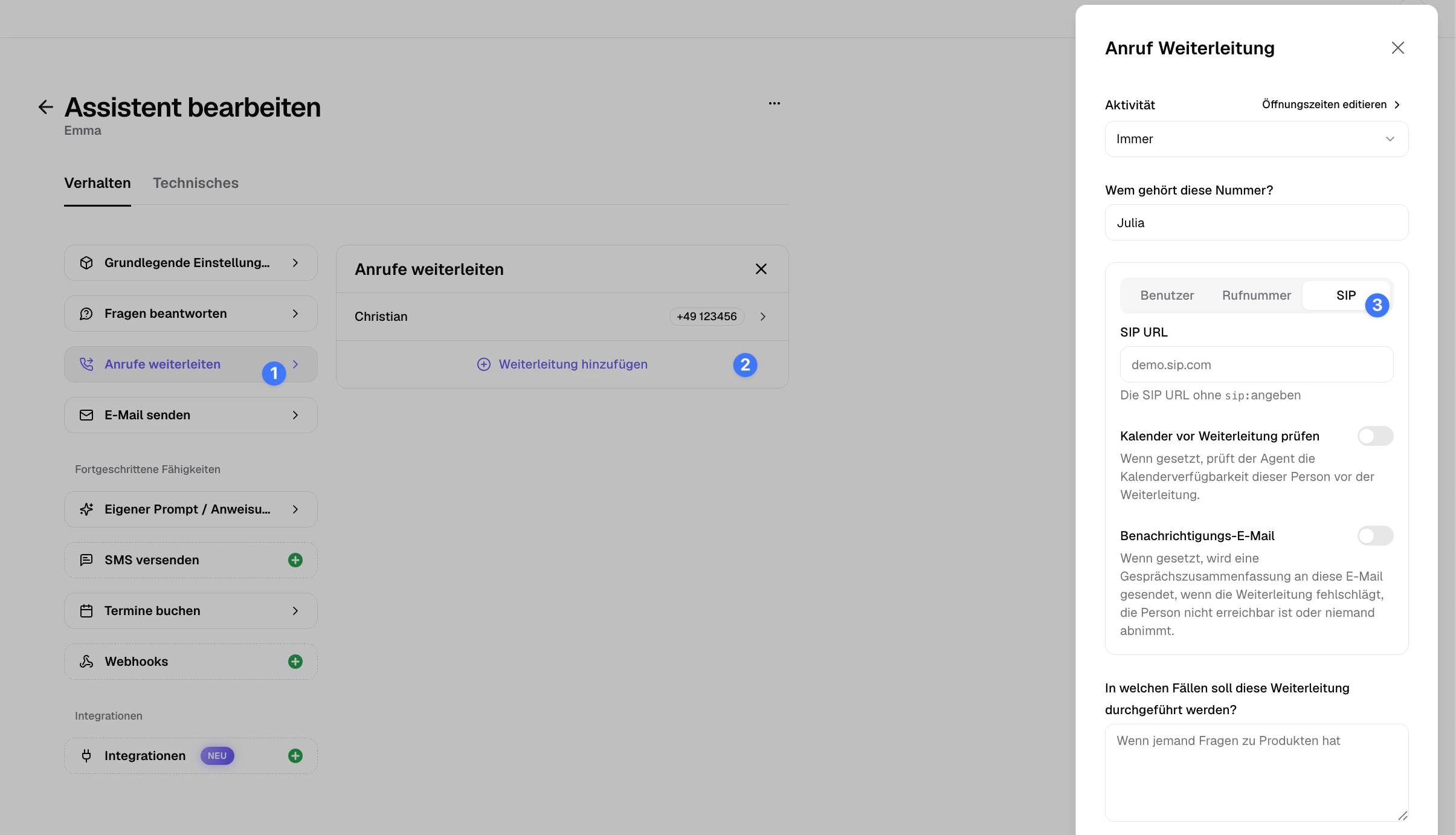
Weiterleitungen von diesem Assistenten müssen jetzt über SIP passieren weil normale Weiterleitungen über PSTN eine Loop erzeugen würden:
**Wichtig:**\
Weiterleitungen von diesem Assistenten müssen jetzt über SIP passieren weil normale Weiterleitungen über PSTN eine Loop erzeugen würden:
 ### Zeitgesteuerte Umleitzung aktivieren
**Benutzer zuweisen**
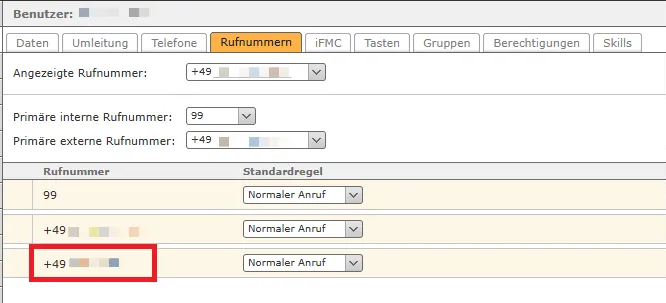
Einem User muss die SIP-Rufnummer zugewiesen werden, sonst kann die Starface mit der Rufnummer nicht arbeiten.
### Zeitgesteuerte Umleitzung aktivieren
**Benutzer zuweisen**
Einem User muss die SIP-Rufnummer zugewiesen werden, sonst kann die Starface mit der Rufnummer nicht arbeiten.
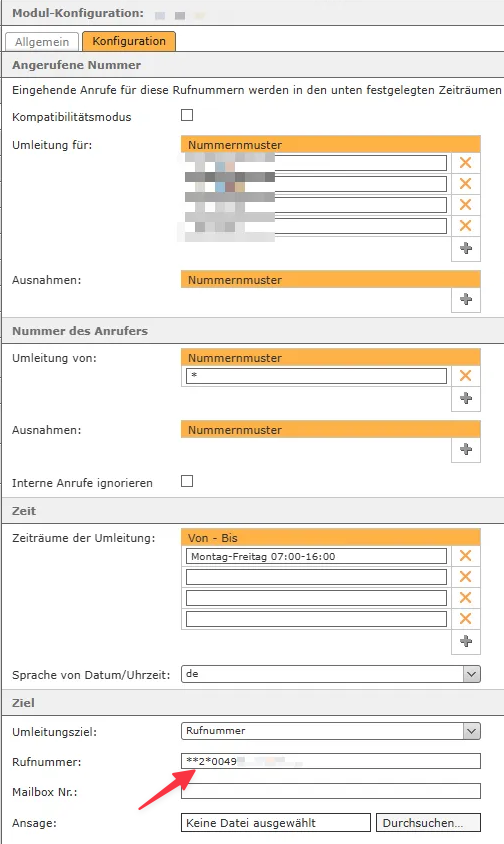
 **Zeitgesteuerte Umleitung**
Schließlich muss die Nummer noch über (beispielsweise) "Zeigtgesteuerte Umleitung" eingestellt werden.
**Wichtig:** `**2*0049...` muss genau in diesem Format eingeben werden - `**Leitungsnummer*Telefonnummer`
**Zeitgesteuerte Umleitung**
Schließlich muss die Nummer noch über (beispielsweise) "Zeigtgesteuerte Umleitung" eingestellt werden.
**Wichtig:** `**2*0049...` muss genau in diesem Format eingeben werden - `**Leitungsnummer*Telefonnummer`
 ### Starface Cloud / Assistent nicht hörbar oder umgekehert
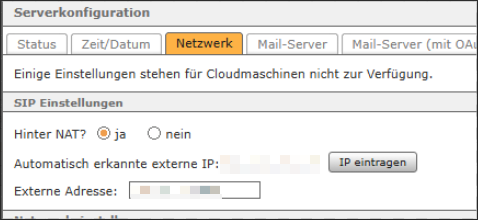
In diesem Fall muss NAT aktiviert werden weil das Audio nicht das richtige Ziel erreicht!
### Starface Cloud / Assistent nicht hörbar oder umgekehert
In diesem Fall muss NAT aktiviert werden weil das Audio nicht das richtige Ziel erreicht!